
Finish your workspace
The 7 things to check in Settings after the setup, in order.
After the setup, Filo already works. These 7 checks make sure it says the right things, to the right people, from the right accounts. Each takes 1 or 2 minutes.
Open Settings
Tap Menu at the bottom right, then Settings.
 Tap Menu
 Then Settings
Settings has several sections. Tap Section at the top to move between them.
 One section per topic
Click Settings in the left column. The sections are in a row at the top.
 One section per topic
Only the owner and admins of a workspace can change settings. If you see Only workspace owners and admins can edit these settings., ask the owner to make you an admin.
The 7 checks
Check what Filo knows about your business
Section: Brand.
Filo writes every post from what is written here. Read Business and the list of services, and correct anything that is wrong. A post can only mention a service or a fact that is on this page.
 Is this you?
 Is this you?Add what is missing
Connect your accounts
Section: Integrations.
Filo can only post and reply through accounts you have connected. Follow Connect your accounts.
Decide how Filo answers messages
Section: Conversations.
- Switch on Reply to incoming DMs automatically if Filo should answer customers by itself.
- Leave it off and switch on Suggest replies while automatic replies are off if you want to read every answer first. Filo writes a draft, you send it.
- Paste your booking page into Booking link. Filo sends it when a customer wants to book.
Then tap Save changes.
 Filo answers by itselfYour booking page
 Filo answers by itselfYour booking page
Get Filo's news on your own WhatsApp
Section: General, card WhatsApp notifications.
Filo can message you on WhatsApp, for example when new posts are ready for you to look at. You can add up to 3 mobile numbers.
- Type your mobile number, starting with the country code (+39 for Italy, +34 for Spain).
- Tap Send a code on WhatsApp.
- Open WhatsApp, read the code Filo sent you, and type it into Code from WhatsApp.
- Tap Confirm number.
 Your mobile number
 Your mobile number
This is not the same as connecting your business WhatsApp. Here Filo writes to you. There Filo answers your customers.
Check the language and the time zone
Section: General, card Regional settings.
Language is the language Filo uses with your customers: in posts and in replies. Timezone tells Filo your local date and time.
 Language for customersWhere you are
 Language for customersWhere you are
The language of Filo's own screens is separate, and each person chooses their own: tap your name, then Account settings.
Invite your team
Section: Members.
Type a colleague's email, choose a role and tap Invite. They get an email with a link. The link works for 3 days.
| Role | Can do |
|---|---|
| Member | Use Filo day to day. Cannot change settings or connect accounts |
| Admin | Everything a member can, plus change settings, connect accounts and invite people |
 Their emailThen Invite
 Their emailThen Invite
Know where your invoices are
Section: Billing.
Here you find your invoices, change your card and switch between monthly and yearly.
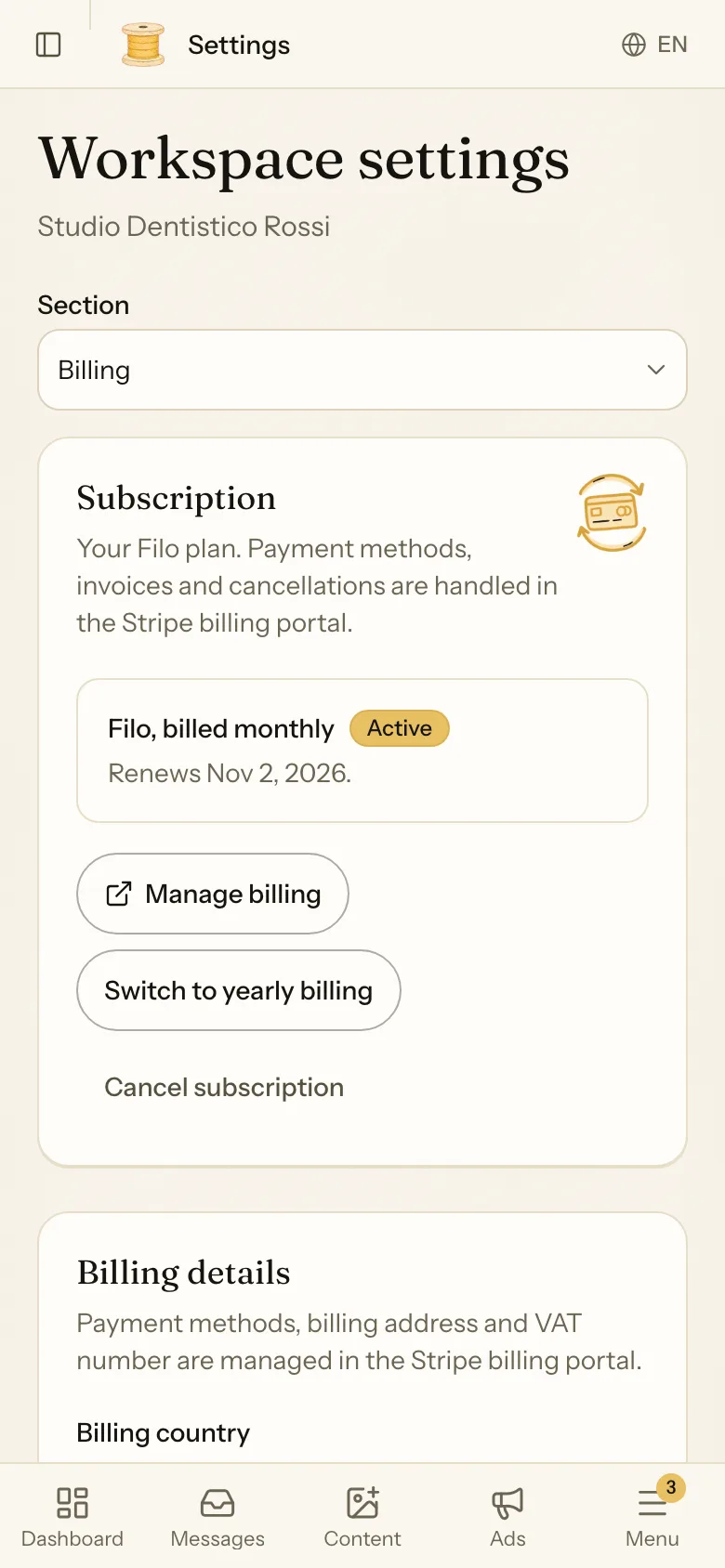
 Your invoices
Good to know
- You changed your website. In General, tap Run the onboarding again. Filo reads the website again, refreshes your brand kit and drafts 3 new posts. Your subscription is not touched.
- Several locations. If your locations share one name and one Instagram, one workspace is enough. If each location has its own pages and its own customers, give each its own workspace. See Manage your connected accounts.
- Webhooks. This section is for developers who connect Filo to another system. You can ignore it.